Asset Check
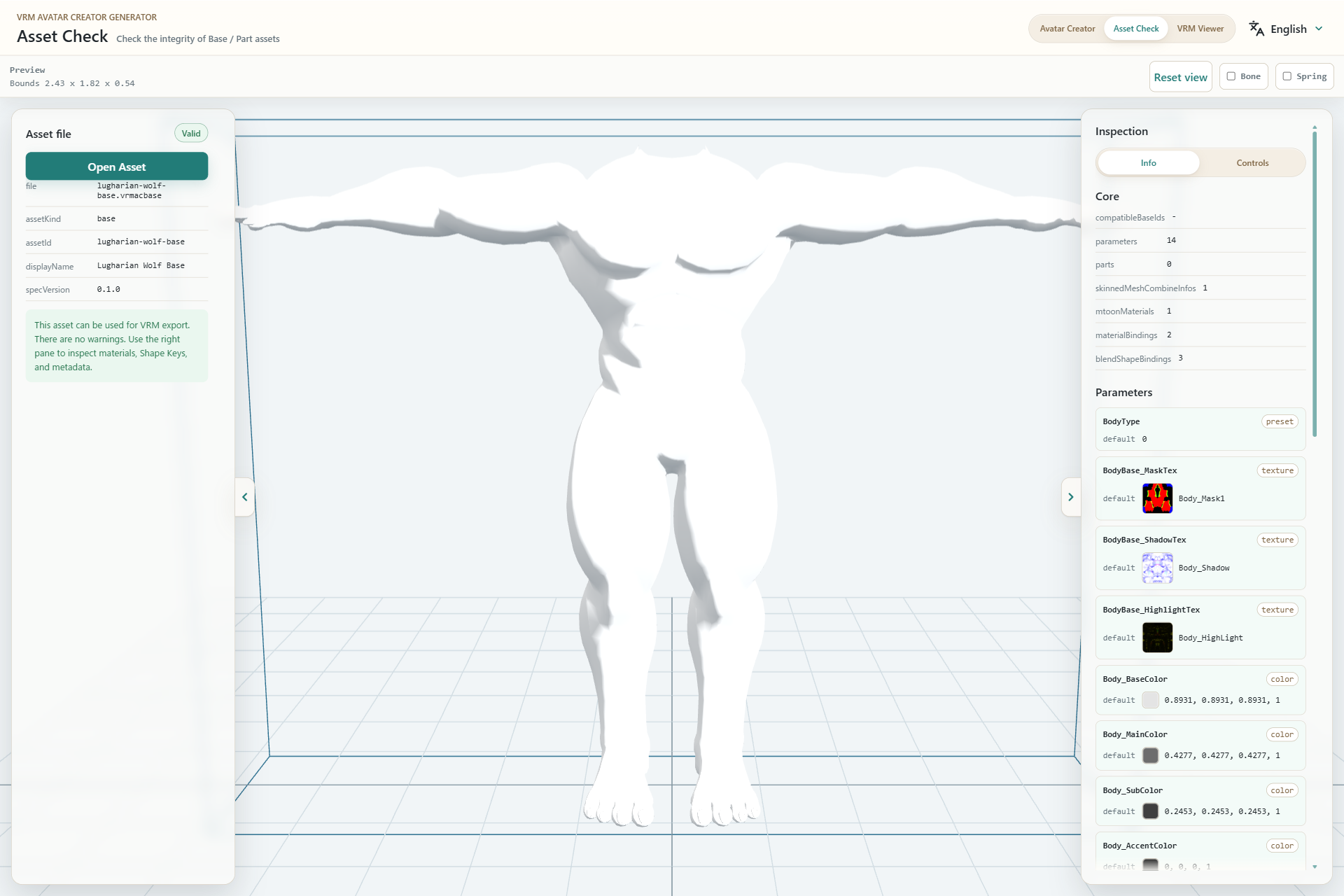
- Open the vrmacbase or vrmacpart to inspect.
- Inspect the model appearance and bounds.
- Review the asset ID, kind, display name, and specification version.
- Inspect parameters, materials, Shape Keys, and licenses.
Result states
- Valid: the file loaded and no warning was detected.
- Warning: loading completed, but one or more items need review.
- Error: the format is invalid or required data could not be loaded.
Use Info in the right pane for metadata and Controls for display helpers. Bone and Spring controls are available only when the asset includes compatible data.