Avatar Creator workspace
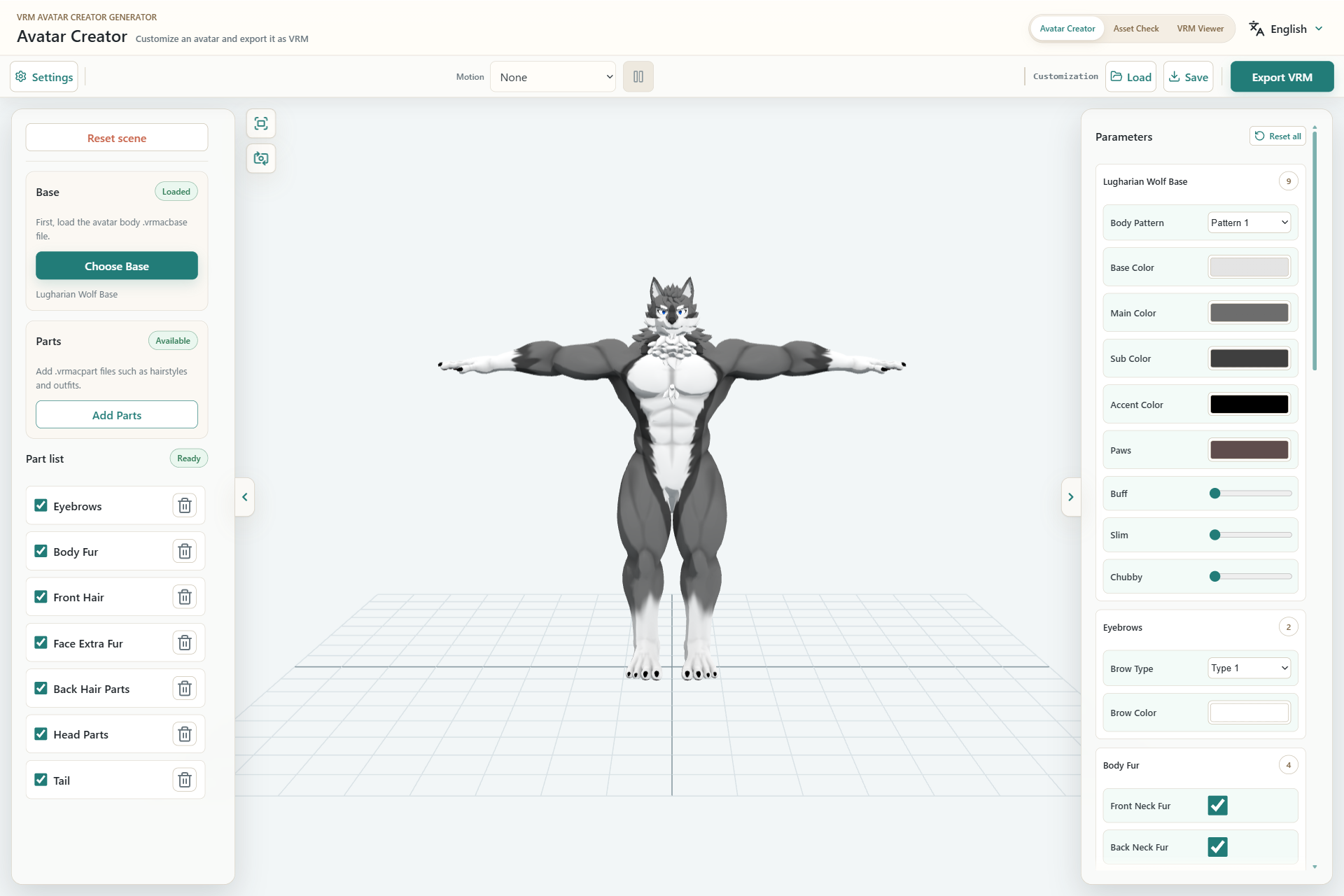
- Assets: add, remove, and enable Base and Parts assets.
- Preview: drag and use the wheel to inspect the model.
- Parameters: adjust the selected assets.
- Workspace tabs: Avatar Creator, Asset Check, and VRM Viewer.
- Language: switch between English and Japanese.
Open and close panes
Use the arrow button on the edge of either side pane to expand the preview. Closing a pane does not remove loaded assets or reset values.
Reset the scene
Reset scene returns the Base, Parts, parameters, and export settings to their initial state. This cannot be undone, so save any setup you need first.
Switch workspaces
Use the header tabs to move to another workspace. Switching workspaces does not automatically transfer the Creator model into Asset Check or VRM Viewer.